Pixel Tide
The time and the tide at a glance, in a dot-matrix LCD style.
Coming soon to the Connect IQ Store.
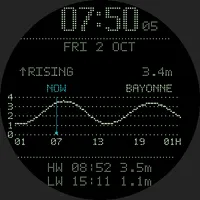
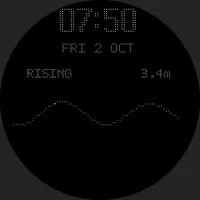
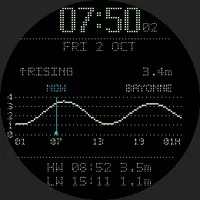
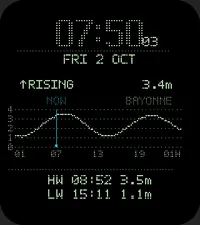
What it shows
- The time, the date and, when you raise your wrist, the seconds.
- Whether the tide is rising or falling, and the current height.
- A 24-hour tide curve, from 6 hours ago to 18 hours ahead, with a NOW marker.
- The next high and low waters, with their times and heights.
- The name of the tide station it uses.
How it works
Tides are computed on the watch from the harmonic constants of real tide gauges (TICON-4). It needs no phone, no internet connection and no subscription, and keeps working offline.
Choose one of 27 stations: the French Atlantic coast from the Basque Country to Brittany and the Channel, northern Spain, Portugal, Cornwall and Devon. Or let Auto pick the nearest one.
Change the station and the colour in the watch face settings: in the Customize screen on watches with Garmin's watch face editor, in the watch face menu or in Garmin Connect on the others.
Four colour palettes (plus a custom colour set in Garmin Connect, on watches without the watch face editor). A dimmed, shifting always-on mode protects AMOLED screens.
Auto station and your location
Auto, the default, picks the nearest station within 50 km of the watch's last known position (its last GPS fix, the weather location your phone provides, or the location of the last activity). This is why the watch face asks for the Location permission. The position stays on the watch; choosing a fixed station turns Auto off.
Watches
101 Garmin watches with a screen of at least 240 pixels: fēnix 5 Plus to fēnix 9, epix, Enduro, Forerunner 70, 165, 170, 245, 255, 265, 570, 645, 745, 945, 955, 965 and 970, Instinct AMOLED, MARQ, Venu, vivoactive 3 to 6, D2, Descent and Approach.
Good to know
- Predictions are astronomical tides: they do not include the effect of wind or air pressure (surge), which can move the actual sea level by tens of centimetres.
- Heights are shown above the lowest astronomical tide computed for each gauge. Official tide tables may use another chart datum, so their heights can differ (about 20 cm higher at Bayonne-Boucau, for example).
- A station is a tide gauge location: the tide on a nearby beach can come a few minutes earlier or later.
- Not for navigation.